HI !!
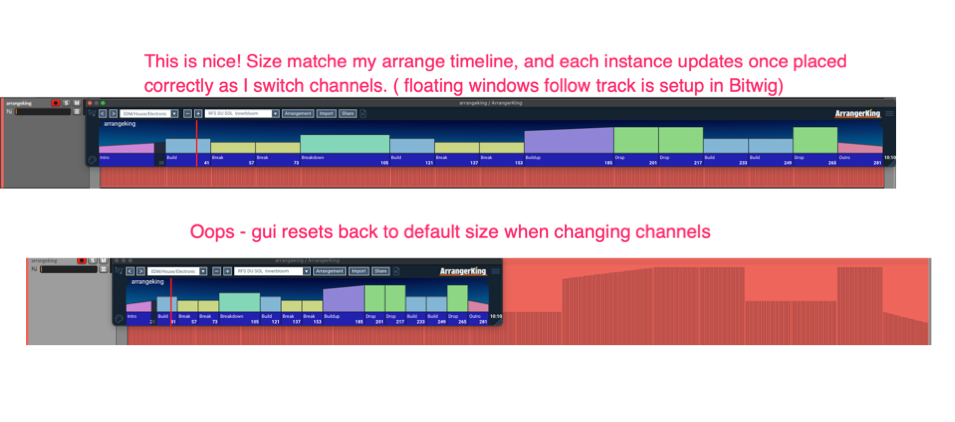
After resizing the gui to fit my screen, would be nice if it did not reset each time i change channels).
If i resize the gui instance to match my screen/arrangement and overlay on the timeline ( on top of the midi guide) i have a nice view of the arrangement. however when changing between channels/instances the gui resets back to the default size.
Thanks for the post. Images help. I thought this was a feature request (and asked you to post here), but as it turns out it looks like a semi-bug, and so I’ll file it with the dev-team, expect follow up when we get there, till then please all details you can about monitor/screen size, os, screencast video if you can, all will help speed up a fix. Thanks and sorry for the trouble.
yes, not really a feature request… gui should maintain its new size after being changed.
i dont think its related to screen size, or monitor, same on my laptop and external screens.
Very easy to recreate. open the gui… change its size using the drag handle bottom right, then minimize it, and reopen and its then reset.